

When people first open Search Console, many are surprised by the Not indexed number. It is often much larger than expected. On some sites, there may even appear to be far more non-indexed pages than indexed ones.
The problem is that, in trying to reduce this number, people often end up damaging the site’s canonical structure. They change canonicals incorrectly, remove noindex directives, force URLs into the sitemap that do not belong there, or even try to get parameter URLs indexed.
When that happens, the number may appear to go down for a while. But it can also make search engines unsure which URL should be treated as the primary page, increase duplicate URLs, and spread crawl resources too thin. In the end, attempts to fix indexing issues can break the site’s canonical structure.
In fact, on many Korean websites, the proportion of non-indexed pages is relatively high when measured against all discovered URLs. That is often because filter URLs, sort URLs, search result pages, forum or board URLs, separate mobile/desktop URLs, parameter URLs, and duplicate URLs are all being counted together.
So the important thing is not reducing the Not indexed number itself. What matters is distinguishing between URLs that do not need to be indexed and URLs that absolutely must be indexed. Indexing management is not about rescuing every excluded URL. It is about separating the URLs that should be indexed from the URLs that should be excluded.

Indexing rates should be interpreted differently by industry
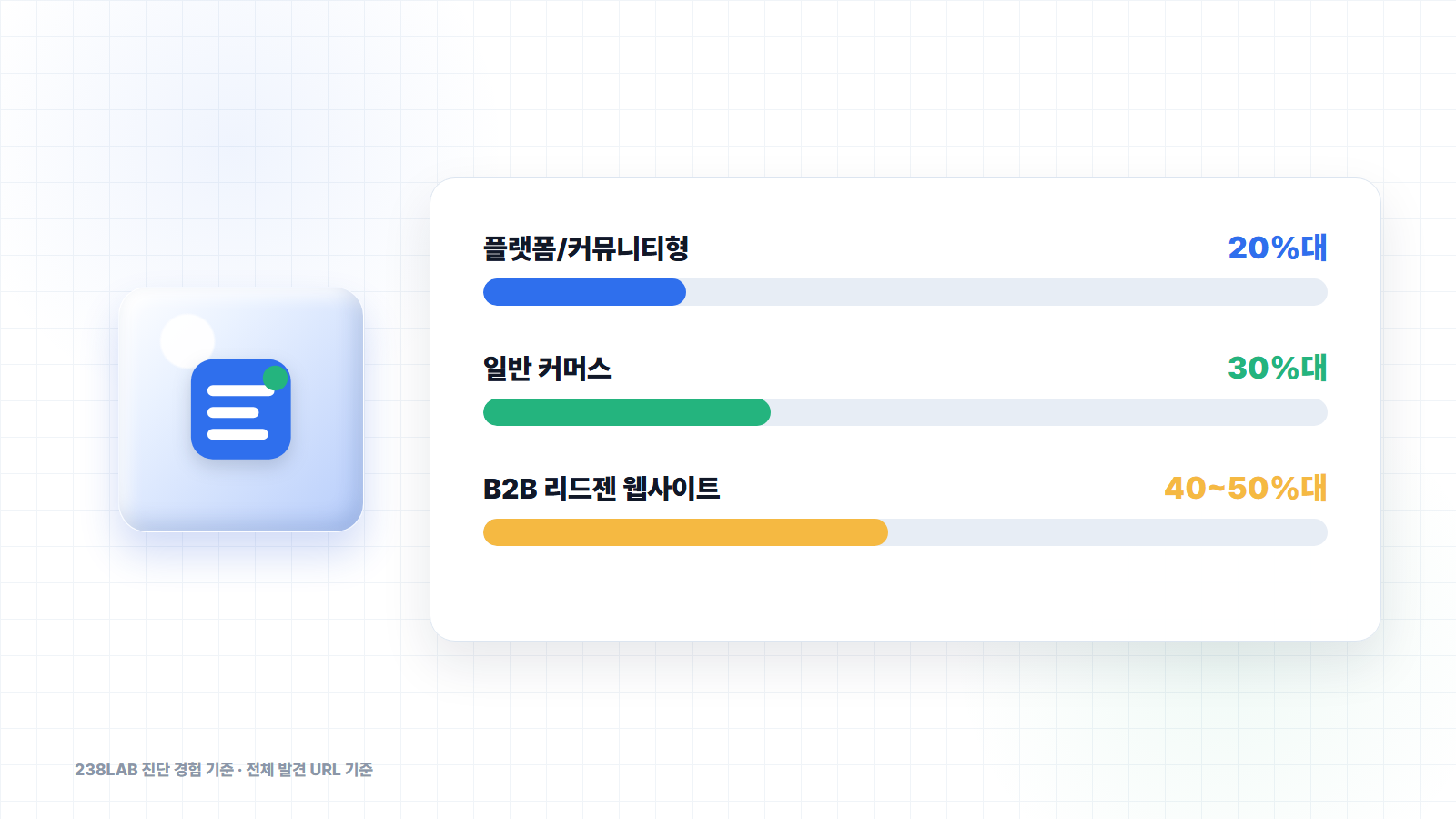
When we audit sites that have been operating for more than three years at 238LAB, the indexing rate based on all discovered URLs often falls roughly within the following ranges.
| Site type | Indexing rate based on all discovered URLs |
|---|---|
| Platform/community sites | In the 20% range |
| General commerce sites | In the 30% range |
| B2B lead gen websites | In the 40~50% range |
Of course, these numbers are not absolute benchmarks. They can vary depending on the industry, URL structure, filter/sort functionality, board structure, number of products, content operations, and whether mobile pages are separated.
In particular, the indexing rate we are discussing here is based on all discovered URLs. When you measure against every URL Google has discovered both inside and outside the site, it is often perfectly natural to see a large number of non-indexed URLs.
But the story changes when the benchmark shifts to core URLs submitted in the sitemap. In principle, a sitemap should contain only canonical URLs that are meant to be indexed. So if service pages, primary category pages, key content pages, or case study pages submitted in the sitemap remain non-indexed, that must be investigated.
To summarize:
A low indexing rate based on all discovered URLs is not automatically a problem. But if the indexing rate of core canonical URLs submitted in the sitemap is low, you absolutely need to look into it.
Not indexed is not an error, but a status
Not indexed is not, in itself, an error. It is closer to a status indicating that Google discovered the URL but did not include it in the pool of candidate pages for search results.
Google does not index every URL. It focuses on URLs it considers worth showing in search results: representative URLs rather than duplicates, and URLs that can provide meaningful information when users search.
On the other hand, there are many URLs that do not need to appear in search results.
Login pages, carts, my account pages, admin pages, search result pages, filter pages, sort pages, duplicate URLs, redirected URLs, and URLs pointing to another canonical URL may be perfectly normal to leave non-indexed.
So when you review excluded pages in Search Console, the first question to ask is this:
Should this URL appear in search results?
If the answer is no, then the fact that it is not indexed may not be a problem. If the answer is yes, that is when you need to investigate the cause.
Types you do not need to worry about 1: duplicate URLs and canonicalized URLs
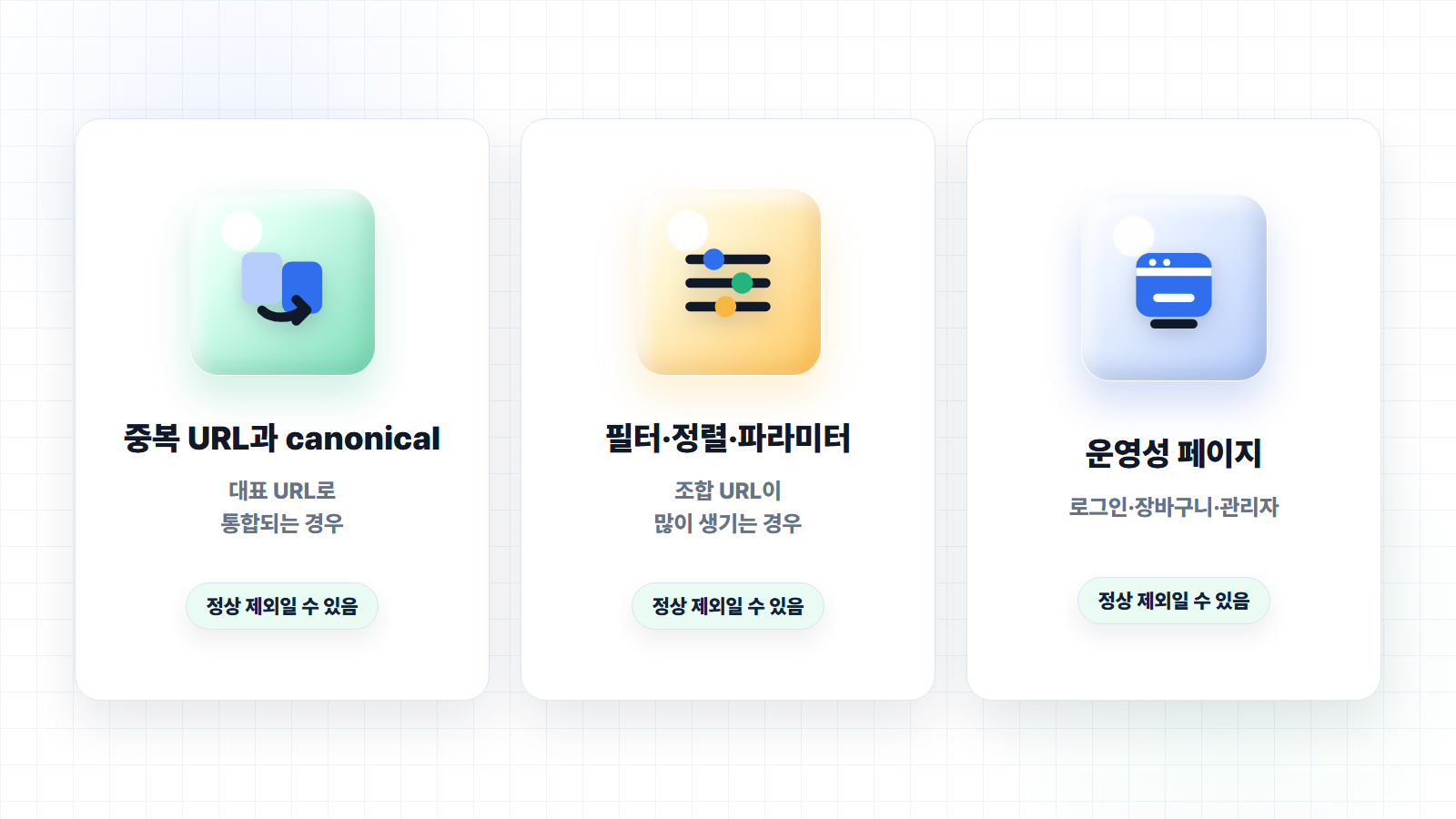
The first category you generally do not need to worry too much about is duplicate URLs and canonicalized URLs.
It is more common than most people think for the same content to be accessible through multiple URLs. For example, the same product page may be reachable through a category path, a recommended products path, a campaign path, and a parameter-based path.
example.com/products/123
example.com/category/shoes/products/123
example.com/products/123?ref=main
example.com/products/123?utm_source=newsletter
In that situation, it is not better to get every URL indexed. From a search engine’s perspective, it can look like the same content is scattered across multiple URLs.
That is where canonical comes in. You define one representative URL, then consolidate the remaining duplicate URLs so they point to that canonical URL. When Google understands this, the duplicate URLs may remain non-indexed while only the canonical URL gets indexed. In Search Console, you may see statuses such as Alternate page with proper canonical tag. If the URL is truly a duplicate and is being consolidated into the canonical URL you intended, this is generally not a major issue.
In fact, trying to index every duplicate URL here can break standardization. If duplicate URLs get indexed, search signals can become diluted and it can become unclear which URL is the primary page. So in this category, what matters is not the excluded count. What matters is whether Google is selecting the canonical URL we intended as the representative URL.
Types you do not need to worry about 2: filter, sort, and parameter URLs
The second category is filter, sort, and parameter URLs. These occur especially often on commerce, platform, community, and forum-style sites.
For example:
example.com/products?sort=price
example.com/products?color=black
example.com/products?page=2
example.com/search?q=seo
example.com/list?category=3&order=latest
These URLs may be useful for users navigating within the site. But in many cases, they do not all need to appear in search results. When color, price, sorting, pagination, and search term combinations all generate unique URLs, the number of URLs search engines discover can increase dramatically. If you try to get every combination indexed, duplicate content can increase and crawl resources can become fragmented.
This issue appears frequently on commerce sites in particular. In some cases, far more filter-combination URLs are discovered than there are actual products. In those situations, a large Not indexed number in Search Console can be completely natural. What matters here is not trying to rescue every filter URL. It is distinguishing between representative category URLs with indexing value and combination URLs that do not need to be indexed.
For example, a category like men's running shoes may have clear search demand and enough value to operate as a standalone page, so it can be made into a representative URL. On the other hand, a combination URL like ?sort=price&color=black&page=7 is unlikely to need indexing. The goal of indexing management is not to push every parameter URL into search results. It is to consolidate only the URLs with search demand and content value into representative pages.
Types you do not need to worry about 3: operational pages intentionally excluded
The third category is operational pages that have been intentionally excluded. Sites contain many pages that do not need to appear in search results.
Login
Sign-up complete
Cart
Checkout
My account
Admin
Internal search results
Temporary event-ended pages
Old redirected URLs
It is natural for these pages not to be indexed. In fact, if they are indexed, they may create issues in terms of user experience, security, privacy, or site quality. For example, there is no need for cart pages or my account pages to appear in search results. Internal search result pages also generally have no reason to be exposed in search results. Admin pages, of course, are not meant to be indexed.
These URLs may appear in Search Console under statuses such as Excluded by 'noindex' tag, Page with redirect, or Not found (404). What matters here is confirming that the exclusion is intentional. If you deliberately applied noindex and the page does not need to appear in search results, there is no problem. If an old URL was 301 redirected to a new URL, it is also normal for the old URL not to be indexed. If a deleted event page appears as a 404 and the deletion was intentional, that does not automatically mean there is an issue.
Of course, this does not mean you should ignore all operational pages. If an important piece of content was mistakenly given a noindex tag, if a service page is redirecting incorrectly, or if a page that should not have been removed is returning 404, you need to address it immediately.
The principle is simple: if a URL does not need to appear in search results, it is normal for it not to be indexed.
The alert you must check: when a canonical URL that should be indexed is excluded
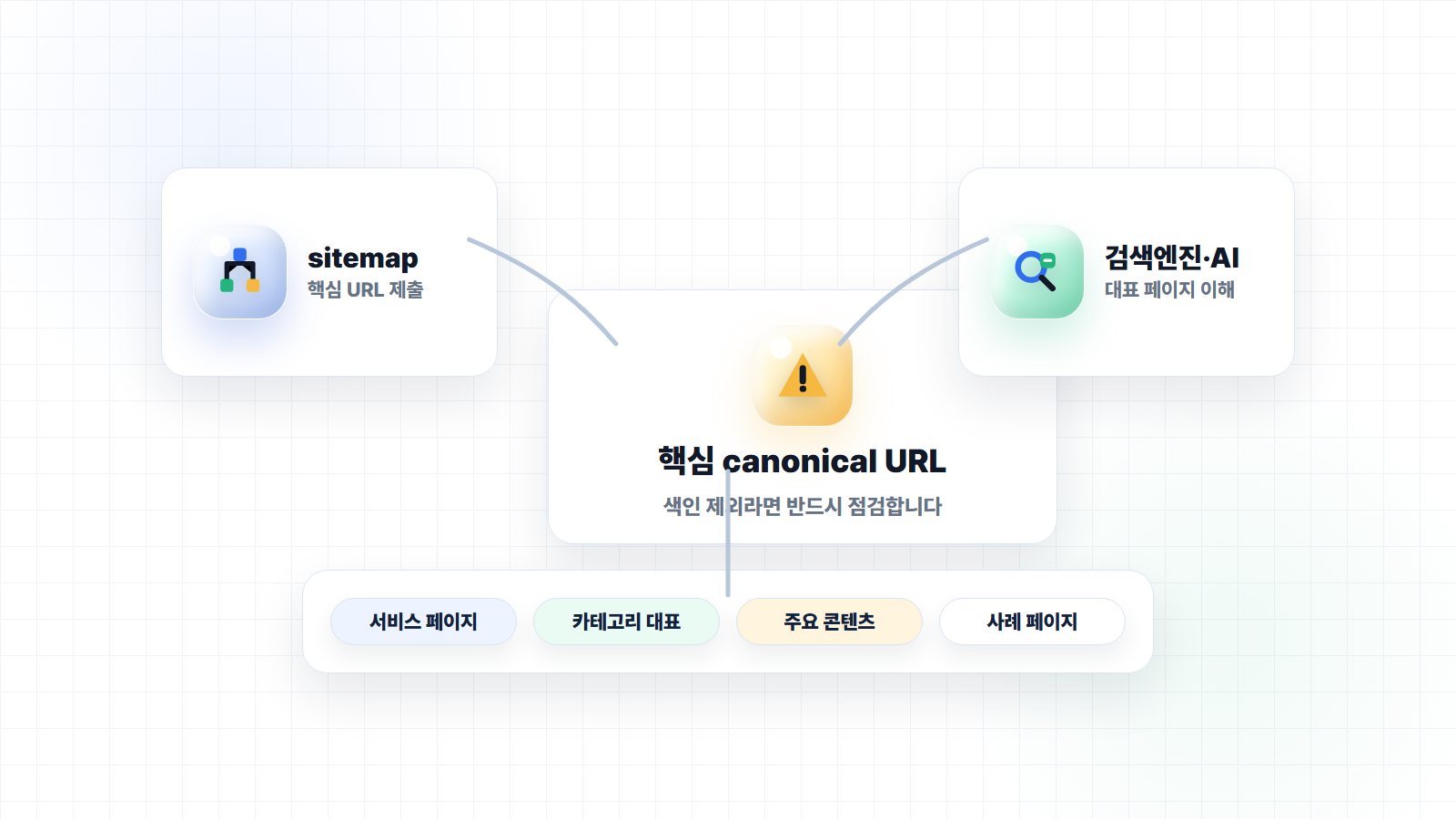
There is one thing you absolutely must check: when a canonical URL that should be indexed is not indexed. When reviewing indexing issues, this should be your central standard.
Is this URL a representative URL that should be indexed?
If the page is meant to attract search traffic, such as a service page, primary category page, key blog post, content hub, case study page, or primary product-detail URL, then it should be indexed. This is especially true if the URL is included in the sitemap.
If these URLs keep being excluded in Search Console, you must investigate the cause.
Typically, you should check statuses such as:
Discovered - currently not indexed
Crawled - currently not indexed
Duplicate, Google chose different canonical than user
URL submitted in sitemap but not indexed
Discovered - currently not indexed may mean Google knows about the URL but has not crawled it yet, or that crawl priority is low. This can appear temporarily on new pages, but if it persists for a long time on core pages, you need to review internal linking, the sitemap, content quality, and site structure together.
Crawled - currently not indexed means Google actually looked at the page but chose not to index it. In that case, you should examine whether the content is thin, highly duplicative, or lacking enough standalone value to justify inclusion in search results.
Duplicate, Google chose different canonical than user is especially important. It may mean that the URL you specified as canonical is different from the representative URL Google actually selected. In this case, you need to review the canonical tag, internal links, sitemap, redirects, and duplicate-content structure together.
Here too, you should not make judgments based only on the status label. First confirm whether the URL is truly intended for indexing. If it is not, exclusion is fine. But if it is a canonical URL that should be indexed, then you absolutely need to investigate.
Index quality matters more than index count
When working in SEO, it can feel like increasing the number of indexed pages is always a good thing. But in reality, that is not the case. A high number of indexed pages does not automatically mean SEO is performing well. If a large number of low-value pages, duplicate pages, parameter pages, and thin-content pages are indexed, maintaining site quality can actually become harder.
On the other hand, even if the number of indexed pages is smaller, the structure may be healthier if the core pages that should be indexed are being indexed correctly and those pages align well with search intent. From an SEO/GEO perspective, what matters is not index count, but index quality.
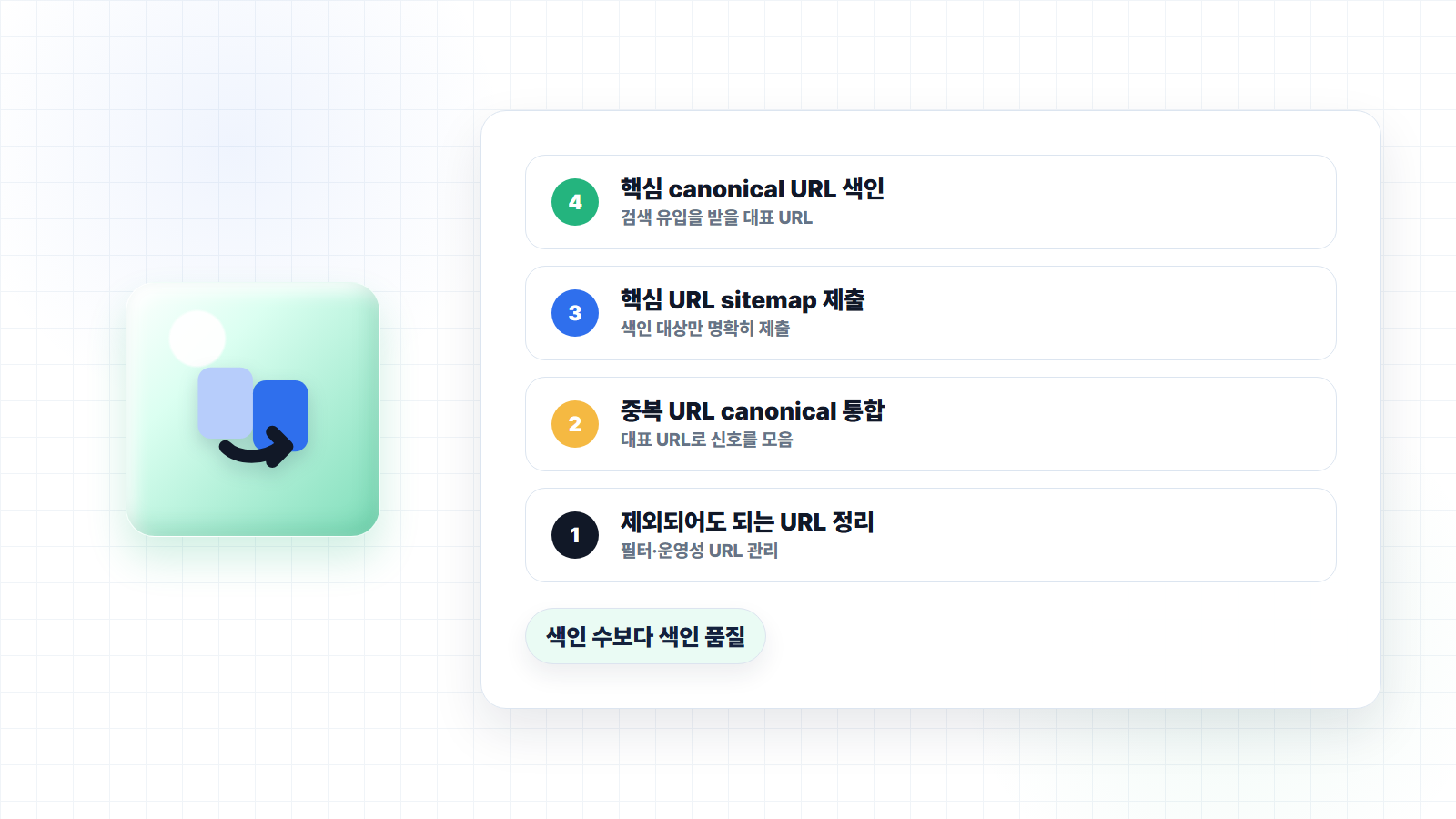
A good indexing structure looks like this:
URLs that should be indexed are indexed.
Duplicate URLs are consolidated into the representative URL.
URLs that are not needed in search results are excluded.
Only core canonical URLs are included in the sitemap.
The canonical Google selects matches the canonical we intended.
When this structure is in place, search engines can understand the site more consistently. The same applies from a GEO perspective. Service pages and content pages worth referencing by AI need to be stably discovered and indexed by search engines.
AI search ultimately relies on information it can discover on the web. If core pages are not indexed, if representative URLs are unstable, or if duplicate URLs are excessively mixed in, it becomes harder for AI to interpret our information consistently.
Conclusion: do not try to reduce the number, establish a standard
The Not indexed number in Search Console is not a list of errors that all need to be fixed. A high exclusion rate based on all discovered URLs is a natural phenomenon on many sites. This is especially true for commerce, platform, community, and forum-style sites, where filters, sorting, parameters, and duplicate URLs generate a large number of non-indexed URLs.
What matters is not reducing the number. What matters is setting a clear standard. URLs you do not need to worry about can be excluded without hesitation. Duplicate URLs, filter URLs, and operational pages do not all need to appear in search results.
On the other hand, canonical URLs that should be indexed must be reviewed carefully. If service pages, core categories, major content, case study pages, or representative URLs submitted in the sitemap are not being indexed, that means the foundational SEO/GEO infrastructure is unstable.
Indexing management is not about rescuing every URL. It is about clearly organizing the representative URLs that search engines and AI need to understand.
References
- Google Search Console Help, "Page indexing report": https://support.google.com/webmasters/answer/7440203
- Google Search Central, "How to specify a canonical URL with rel=canonical and other methods": https://developers.google.com/search/docs/crawling-indexing/consolidate-duplicate-urls
- Google Search Central, "Build and submit a sitemap": https://developers.google.com/search/docs/crawling-indexing/sitemaps/build-sitemap
- Google Search Central, "Large site owner's guide to managing your crawl budget": https://developers.google.com/search/docs/crawling-indexing/large-site-managing-crawl-budget

About the Author
Joshua: Lead SEO & GEO Consultant
- Built a zero-cost structure generating KRW 1.2 billion in annual revenue through SEO alone - Closed a KRW 700 billion deal through SEO alone - Low-cost, high-efficiency marketing specialist Former) Marketing Lead at a financial services firm Current) Runs SEO/GEO agency 238lab Track record) Led multiple SEO consulting projects, including Korea's No.1 AI community