

What Is Imweb SEO?
Imweb SEO is the process of running SEO (search engine optimization) tailored to the Imweb platform environment. SEO means structuring your site the way search engines prefer, helping search engine bots recognize your site more easily on a technical level.
Today, we walk through how to apply SEO within Imweb, a website builder platform. Follow each step and you can complete SEO for your Imweb environment in full.
Core SEO Features Imweb Provides
First, let's review the SEO features Imweb offers one by one. Imweb itself provides a range of SEO tools, and using these well gives you a solid foundation for ranking.
1. Admin Page Basic Settings
1) General Settings
First, go to [Settings → General] in the Imweb admin page and configure these required fields: Site Name, Site Description, Favicon, Featured Image, and Visibility.
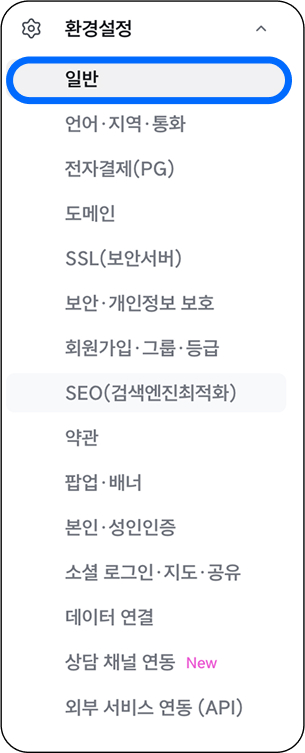
These general settings tell search engines the basic information about your site. Search engines use this to judge your site's broad category and topic, so think about the main topic (the broad category) you want to rank for before filling these in.
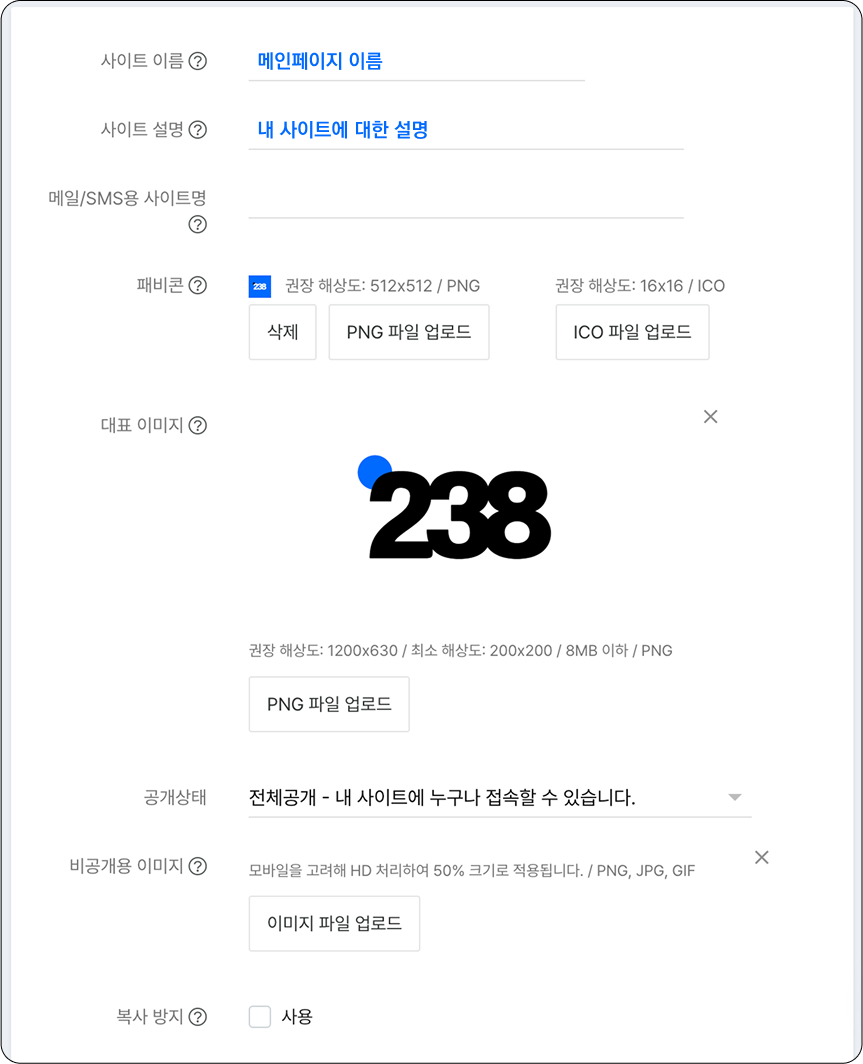
- Site Name: Sets the name of your main page.
- Site Description: Write a concise summary that tells search engines what your site is about.
- Favicon: A favicon is the small website icon shown in browser tabs, bookmarks, and search results.

Using your brand logo is recommended. The favicon also needs to be uploaded as an ICO file. There are free sites that convert PNG or JPG files to ICO format, so just search "ICO file converter" and use one.
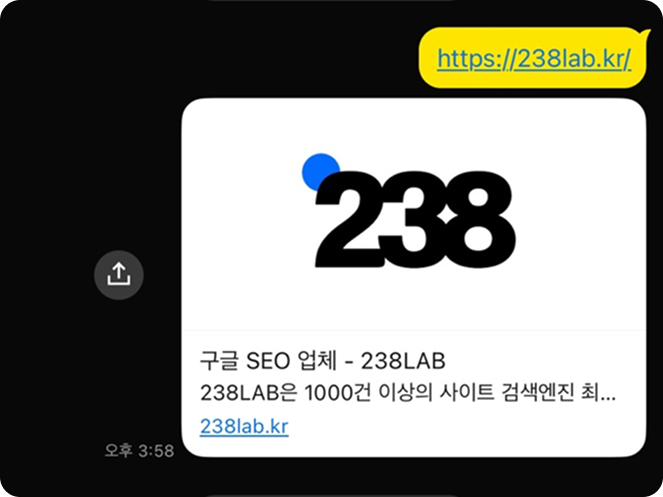
- Featured Image: Upload an image that represents your site as a PNG file at around 1200 x 630 (px). It helps to think of the featured image as the one that appears when you share your site's main URL on Kakao (Korea's leading messenger and content platform) and similar channels.
- Visibility: Set visibility to "Public." If set to private, only the admin can view your site.

2) SEO (Search Engine Optimization) Menu
This is a recently redesigned menu tab where you can easily measure your site's SEO score, with explanations of SEO included.
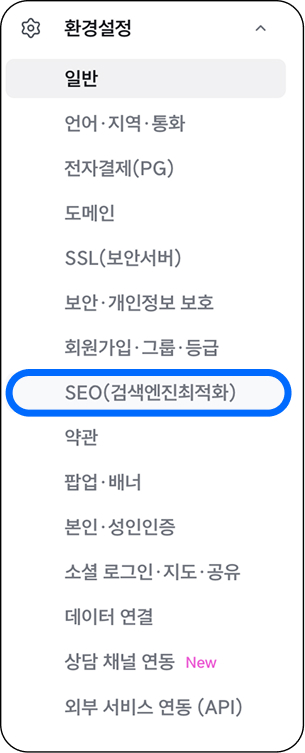
What you need to set here is the Meta Title and Meta Description. We recommend setting the Site Name from your general settings as the Meta Title, and the Site Description as the Meta Description.
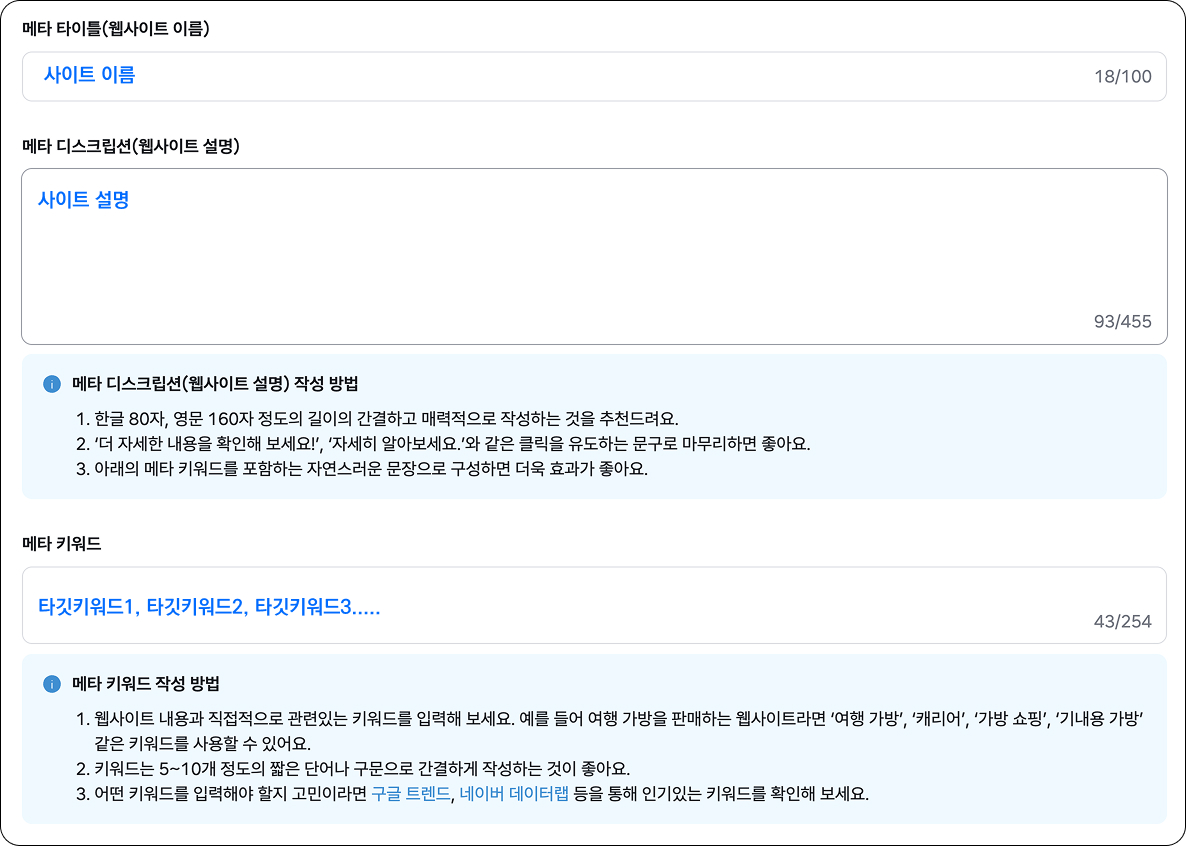
- Meta Title: Site Name
- Meta Description: Site Description
- Meta Keywords: Simply enter the target keywords you want to rank for, separated by commas (,). Keep your keywords consistent with each other. For example, if you enter "SEO consulting," don't suddenly add a keyword from a different category like "solar panels."
Think about the priority keyword you want your main page to rank for, then add sub-keywords that fall under the same topic. Example: "Google SEO," "Google marketing," "Google ads."
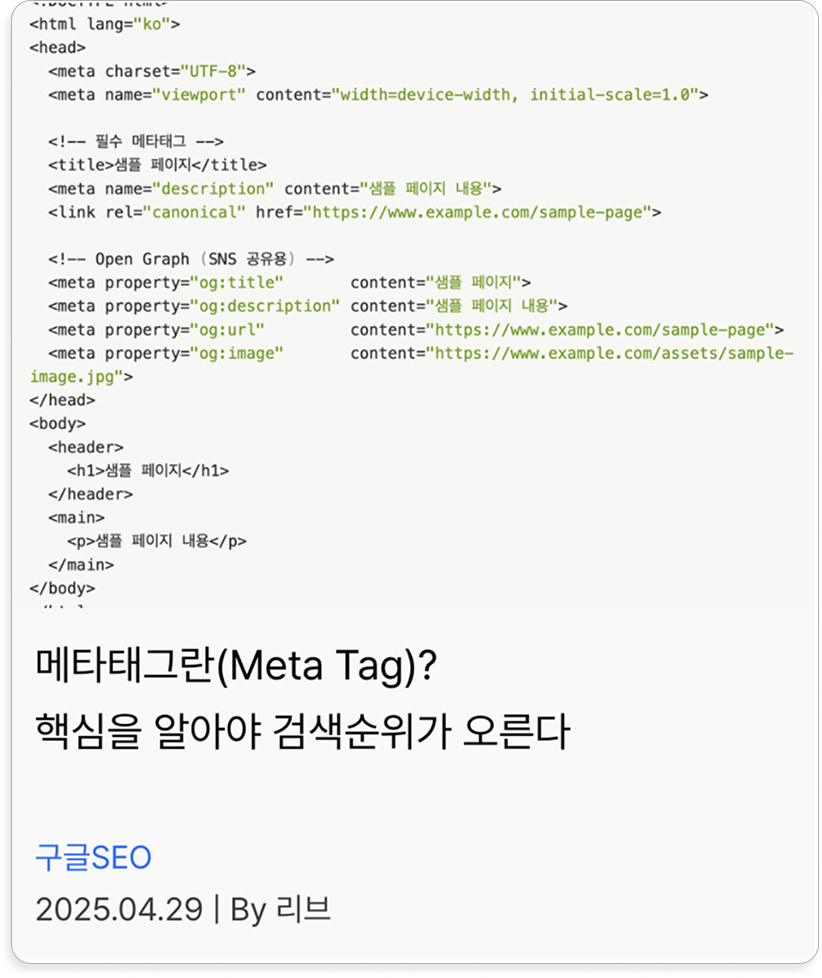
If you want to learn more about the basics of meta tags, see the article below.
2. Design Mode SEO Settings
1) Setting Title and Description Tags per Page
Earlier we set the meta tags for the main page, that is the Title and Description tags. In the same way, Imweb lets you write a <title> and <description> tag for each individual page so bots can clearly and easily understand what each page contains. From an SEO standpoint, being able to conveniently set titles and descriptions per page is a real advantage, and using it well helps you dominate more search real estate.
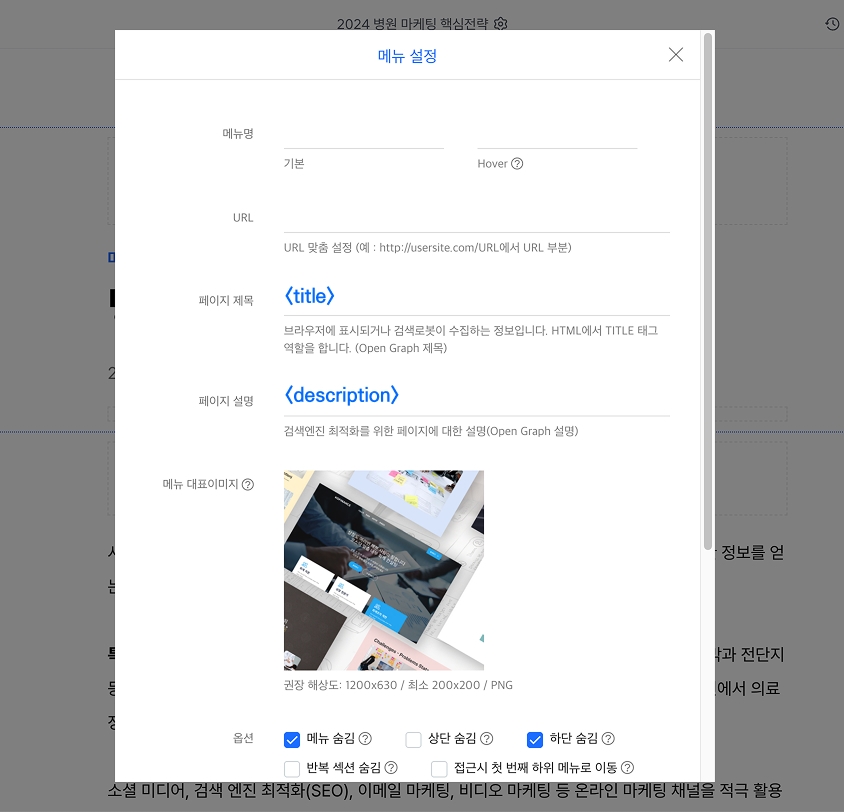
- Page Title: The page title that goes into the <title> tag and the <meta tag>. It is the title shown in search results and affects whether users click, so the tip is to write it for both the search engine and the searcher, clearly conveying the page topic while making users curious enough to click.
- Page Description: This corresponds to the <description> tag and the description part of the meta tag, and is where you write the page description shown below the title in search results. Briefly capture the core of the page content.
2) Image ALT Tags
While not critically important, image ALT tags can have a positive effect on SEO. They are alternative text shown or read aloud in place of an image when the image cannot load, or for users who cannot see images, such as the visually impaired.
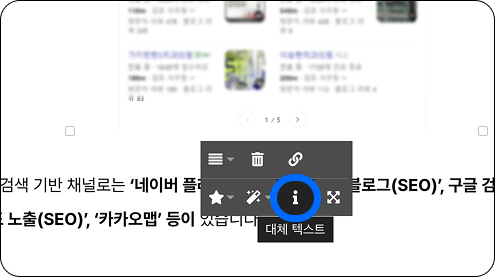
In Imweb, you can add images to text widgets or image widgets. In a text widget, click the image and press the [i] button to enter alternative text.
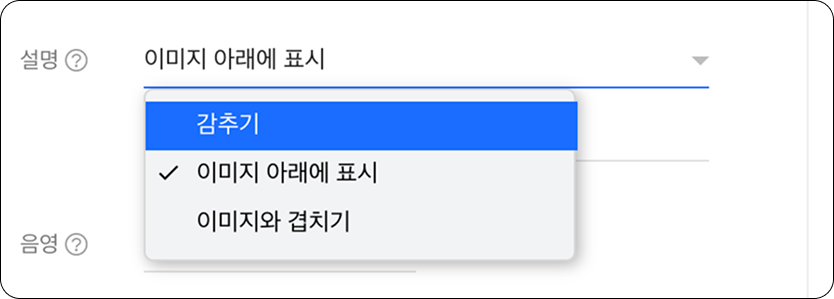
For an image widget, enter the alternative text in the "Description" field of the image settings. If you don't want the alternative text to display on the image widget, set it to "Hide."
For image ALT tags, briefly describe the image in keyword form. You can omit them for decorative images unrelated to the content.
3) Responsive Design
Personally, I think the biggest advantage of the Imweb builder is that responsive design is set automatically while you can also use additional mobile-specific design features.

As more people use non-PC devices such as mobile and tablets, the trend is to adopt responsive design by default so the UX/UI looks uniform and clean not only on PC but across other devices.
Search engines also give better scores to responsively designed sites in consideration of these usage environments, so if you care about SEO, responsive design is a baseline requirement.
In Imweb, when you build on the PC homepage, responsive design applies automatically. If you check on mobile and find anything awkward or harmful to the UX/UI, select "Mobile" in design mode to adjust and design the mobile environment separately.
Basic Imweb SEO Setup for Ranking on Google and Naver
1. Register with Google Search Console & Submit a Sitemap
No matter how well you build your homepage in Imweb, if you don't register your site with search engines, engines like Naver (Korea's dominant search engine, ~58% market share) and Google will have trouble knowing your site exists. Imweb explains this in detail, so we recommend following the link below step by step.
Imweb SEO - How to register with Google Search Console
When registering a domain, we recommend purchasing your own custom domain rather than the default "imweb.me" domain Imweb issues. Register it in Imweb under [Admin Page → Settings → Domain], then register it with Google Search Console.
Choosing a domain also has an important impact on SEO. This topic can get lengthy, so if you want to learn more or are curious about the professional principles and logic behind SEO, we recommend 238lab's publications "Google SEO Masterpiece" and "SEO Guide Edition."
2. Register with Naver Search Advisor & Request Indexing
Google and Naver are distinctly different search engines. Where Google has Search Console for registering your site, Naver has Search Advisor. If you only register with Google and not Naver, your site will only appear on Google, right? Imweb also explains well how to register an Imweb site with Naver, so follow the link below step by step.
Imweb SEO - How to register your site with Naver
Building a Ranking Strategy for Each Search Engine
We have now made your site known to both Naver and Google. Up to this point, we have covered the minimum technical setup for SEO. The important next step is to plan your SEO strategy around the characteristics of each search engine, using this foundation.

Is SEO Different for Each Search Engine?
Yes, it is. In fact, it's fair to say the concept of SEO came from Google. As Google developed its algorithm to deliver high-quality content matching user search intent, the practice of optimizing sites to be chosen by that algorithm developed alongside it, and that is exactly what SEO is.
Rather than being a search engine made up of individual sites, Naver is built on its own platform ecosystem with Naver Cafe, Naver Knowledge iN, Naver Blog, and more, which puts real limits on doing SEO there. Because SEO stands for "search engine optimization," terms like Naver Place SEO, Naver SEO, and Naver Blog SEO have emerged recently, which can cause confusion.
Of course, optimizing for the algorithm within Naver's own ecosystem can technically achieve ranking in an SEO-like way. That said, when we say "Naver SEO," it is more accurate to view it as a strategy of optimizing your homepage to rank highly in Naver's "website results area."
In conclusion, homepage SEO lets you pursue top rankings on search engines like Google and Bing, as well as in Naver's website results area. So once you understand the nature of your business well, choose the search engine your customers are more likely to use and run your SEO work there for efficient business growth.
Measuring and Improving Imweb SEO Performance
To measure SEO performance, it's important to look at organic traffic, that is, visitors who arrive naturally through search rather than through paid channels like Search Ads (SA).
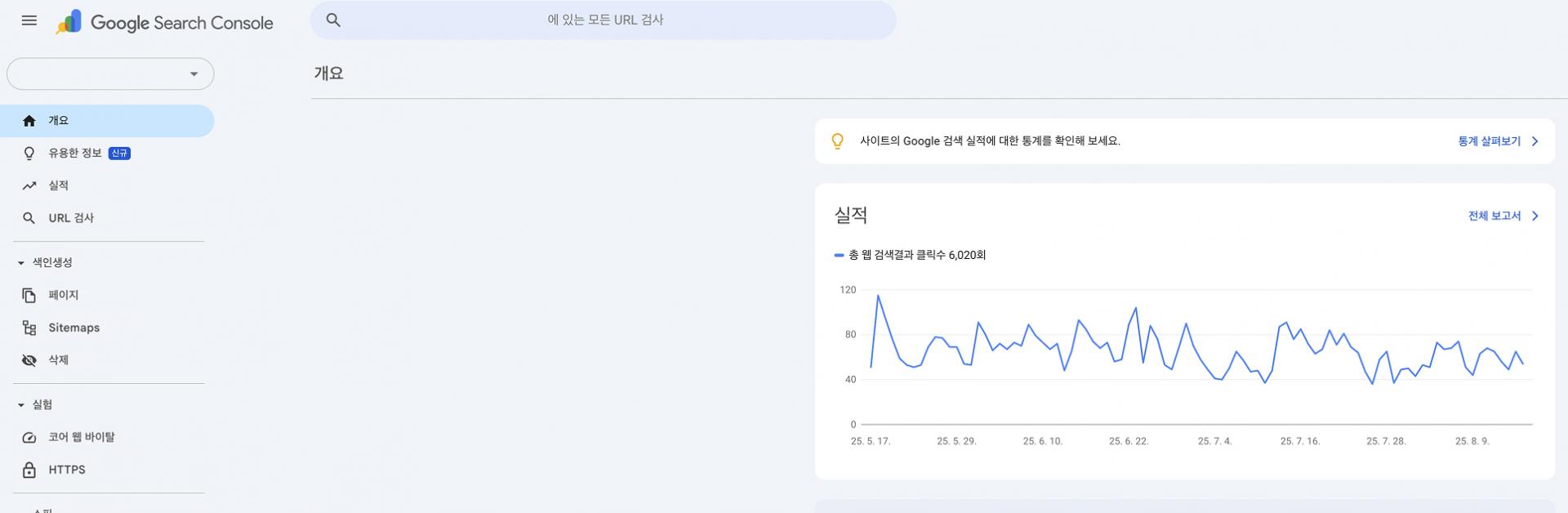
Through Google's "Google Search Console," you can check overall SEO performance such as impressions, clicks, and rankings by search term. You can manage actual organic traffic visitor counts and behavioral data more professionally by also using Google Analytics (GA4), but for beginners, Google Search Console alone is enough to improve SEO performance.

About the Author
Liv: SEO Consultant / Publisher
SEO specialist planner and designer responsible for SEO content strategy, website structure optimization, and search-engine-friendly UX/UI design. Former: UX/UI Design Team Lead Current: SEO Content Design Team Lead at 238lab