

One of the most common questions we hear during SEO/GEO consulting engagements is this:
"Does that mean we need to rebuild our website from scratch?"
The short answer: not always. The goal of SEO/GEO is not simply to produce a visually appealing website. What matters is building a structure that search engines and AI can reliably discover, understand, and trust.
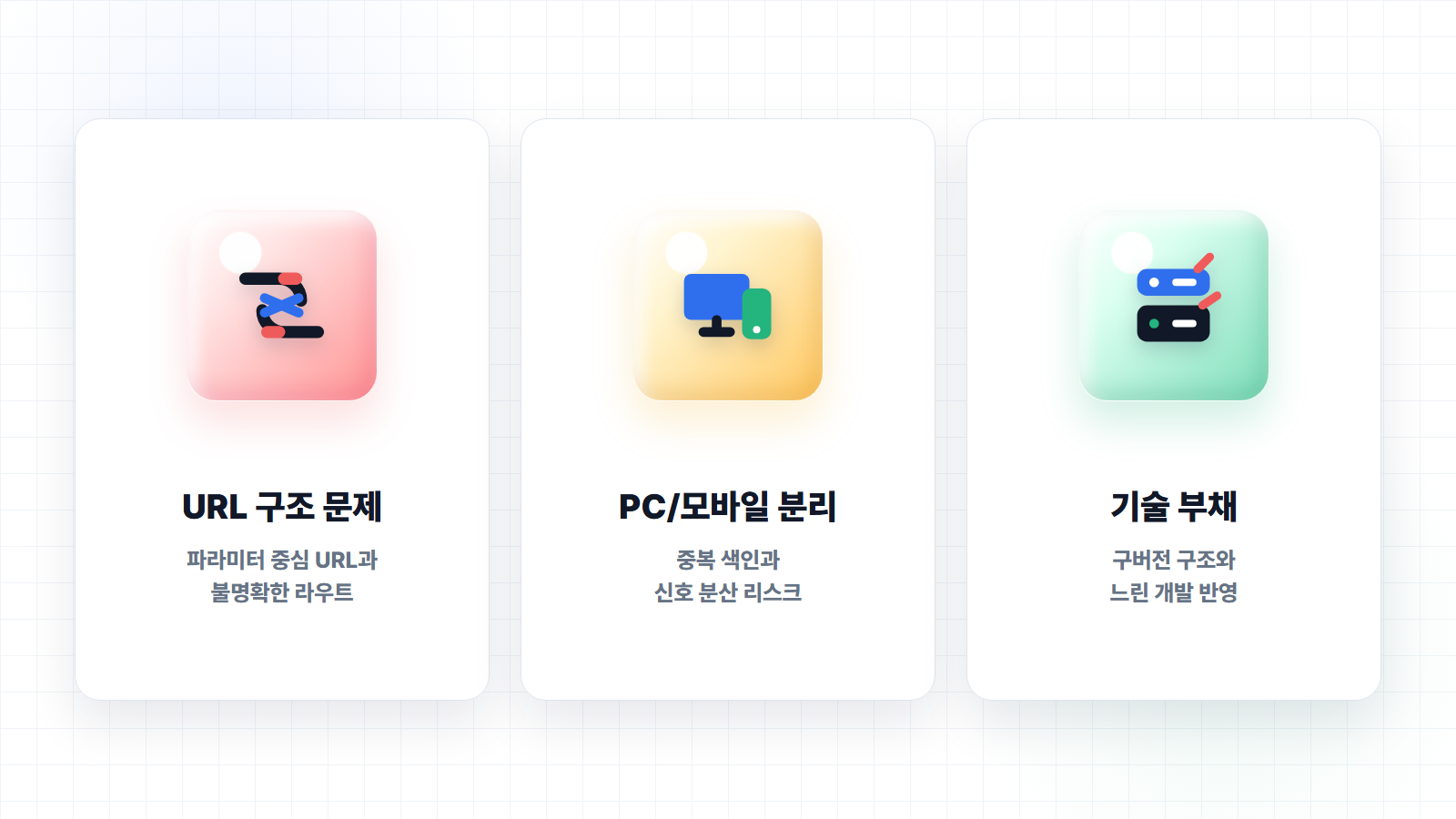
If your existing site architecture can already serve that purpose effectively, targeted improvements are often more sensible than a full redesign. In practice, there are sites where meaningful gains are achievable simply by cleaning up meta information, internal links, content structure, Schema markup, canonical policies, and sitemaps.
On the other hand, some sites cannot realistically achieve the desired indexing rate, SERP presence, content scalability, or AI citation potential through minor fixes alone. In those cases, a "let's just tweak a few things" approach can actually end up costing more — because every change request to the development agency incurs a fee, while the underlying structural problems remain untouched.
What matters is not the redesign itself. What matters is determining whether your site is structured in a way that search engines and AI can genuinely understand. With that in mind, this post breaks down the cases where a redesign is worth pursuing versus where it is not — and, if you do decide to redesign, what that process should look like so you are not wasting your investment.
Cases Where a Redesign Is Worth It — Case 1: Broken URL and Route Structure
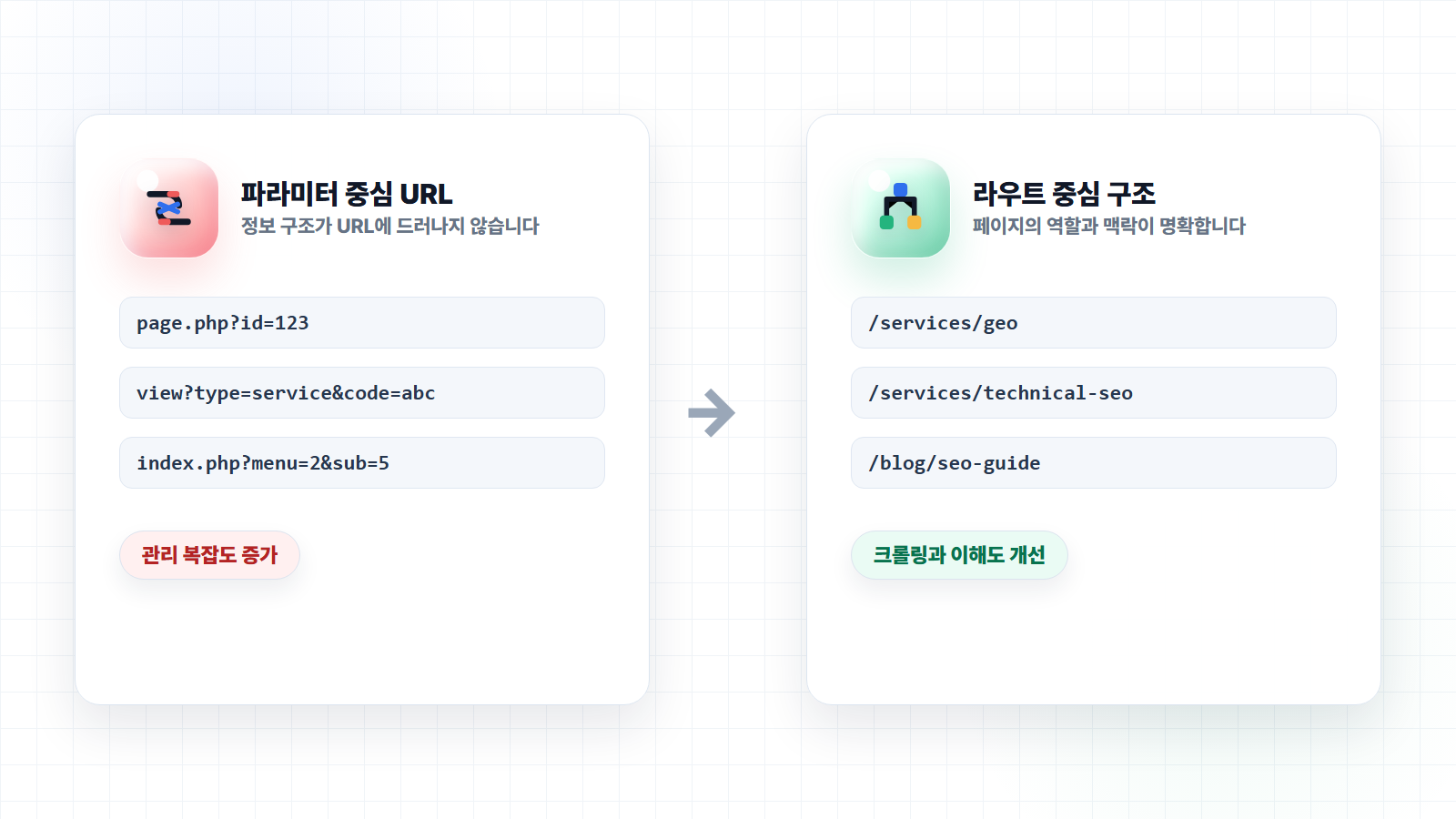
The first case is when your URL and route structure is not search-engine-friendly. A common example is a site where every page is differentiated only by query parameters.
For instance, rather than each page — service overview, product detail, category — having its own distinct path, the site operates like this:
example.com/page.php?id=123
example.com/view?type=service&code=abc
example.com/index.php?menu=2&sub=5
This does not automatically mean those pages will go unindexed. Google is capable of interpreting parameter-based URLs. However, when URLs fail to clearly convey the site's information architecture, and when the number of similar parameter combinations multiplies, crawl efficiency, canonical management, and duplicate URL management all become significantly harder to handle.
Google's URL structure guidelines recommend keeping URLs as simple and descriptive as possible. This benefits not only search engines but also users, who can more easily understand what a page is about from its URL alone.
From a GEO perspective, this issue carries even greater weight. When AI systems retrieve information, the clearer the signals — "what topic does this page cover," "where does this document sit within the service hierarchy," "what question does this page answer" — the better positioned you are. URL, title, internal links, breadcrumbs, and content structure all need to align for the context of your information to come through sharply.
Trying to address this through partial fixes means reworking the server routing structure — and depending on how the existing codebase is built, that effort can quickly balloon far beyond what seems reasonable at the outset. What looks like simply adding rewrite rules turns into reviewing template structure, internal links, sitemaps, canonicals, and redirect policies all at once.
It is worth noting that web agencies today are increasingly leveraging AI-assisted development tools, which has raised the average quality of implementation considerably. In many cases, it is now possible to design an SEO/GEO-friendly site architecture from scratch at a more reasonable cost than it once was.
If you do undertake a redesign for this reason, the expected output should be clear:
example.com/services/geo-consulting
example.com/services/seo-consulting
example.com/blog/geo-misconceptions
example.com/cases/b2b-saas-seo
The page hierarchy and directory structure should be cleanly organized at the route level. If only the design changes while the URL structure remains the same, it cannot be considered a genuine SEO/GEO redesign.
Cases Where a Redesign Is Worth It — Case 2: Separate Mobile and Desktop Versions
The second case is when your mobile site and desktop site are running as separate experiences.
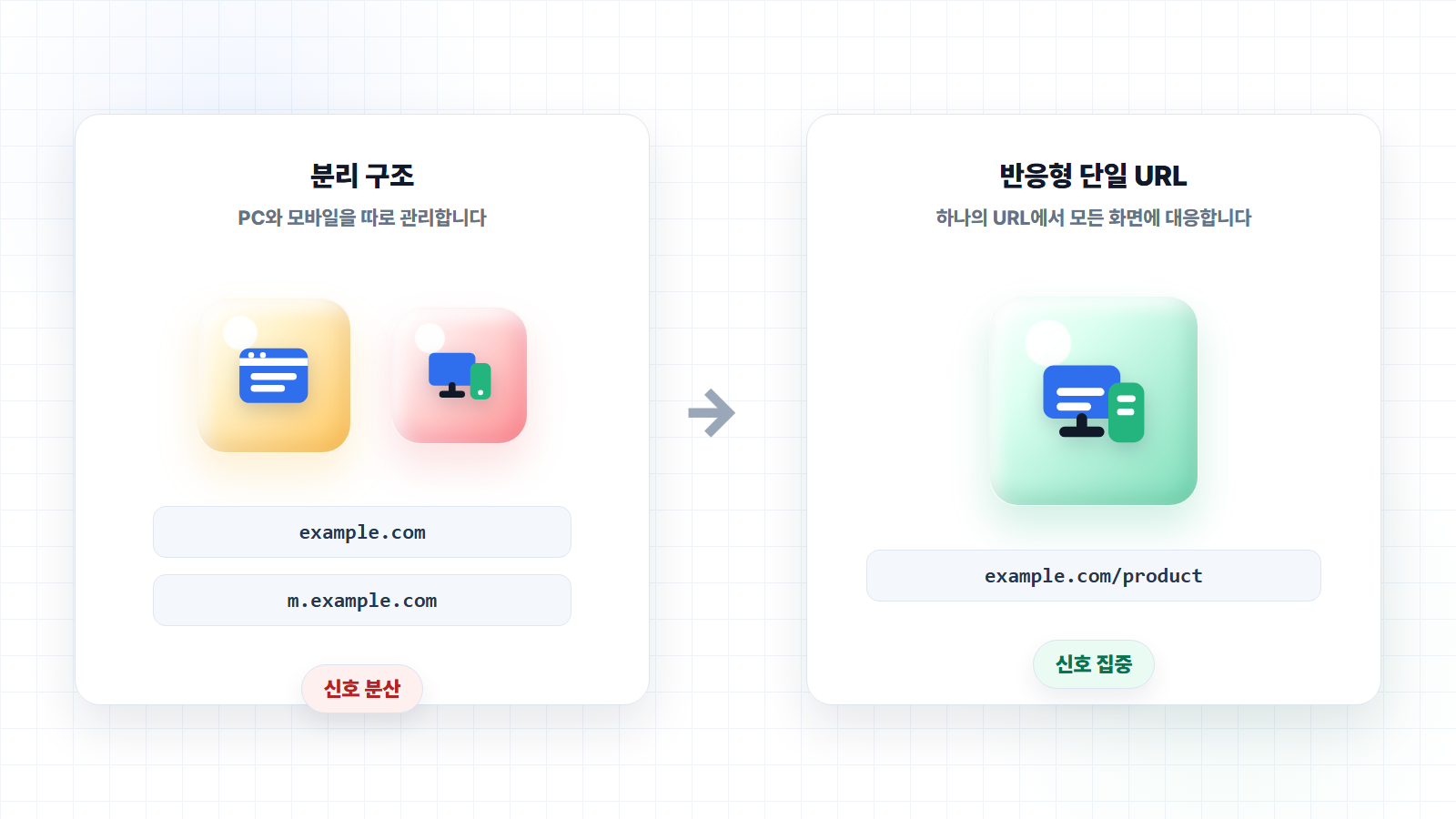
It used to be common practice to build separate pages for desktop and mobile users:
example.com/product
m.example.com/product
Or split by subdirectory:
example.com/product
example.com/mobile/product
This structure can be made to work if managed properly. Google's official documentation does outline how to handle separate mobile URLs — designating the desktop URL as canonical and linking the mobile URL as an alternate. So a split setup is not automatically a problem.
The issue is that in the real world, this configuration is rarely kept clean. Even a slight misalignment in canonical tags, alternate annotations, redirects, sitemaps, robots settings, or internal links can result in duplicate content issues, incorrect indexing, or mobile pages surfacing in desktop search results.
We have seen cases where a site ranks well in Google search, but clicking a result on desktop opens the mobile version of the page. This is a pattern that shows up periodically on legacy PHP- or Java-based sites and older outsourced builds.
If mobile and desktop are separated only at the directory level and you can bring the canonical tag policy into order, there is room for improvement without an immediate redesign — cleaning up canonicals and alternates, and correcting sitemap and internal link policies, can yield measurable gains.
That said, over the medium to long term, this setup is likely to accumulate technical debt. Every time you add content, you have to manage it in two places. Every SEO tag has to be maintained in duplicate. When staff or agencies turn over, the same problems tend to resurface.
Sites where mobile and desktop are split at the subdomain level require even more careful consideration. While it would be an overstatement to say Google always treats subdomains as entirely separate sites, in practice the complexity of managing host-level configurations, Search Console properties, internal links, canonicals, redirects, and trust signals increases significantly. For teams just getting started with SEO, this can raise the difficulty considerably.
In this scenario, a redesign to a responsive, single-URL architecture is often the more efficient path — consolidating PC and mobile into one URL, one content structure, and allowing search signals and brand trust to concentrate in one place. SEO/GEO is ultimately about making search engines and AI consistently understand the same information. If your desktop and mobile versions are being managed as if they were separate documents, that is a long-term operational risk in its own right.
Cases Where a Redesign Is Worth It — Case 3: Technical Debt and Vendor Communication Issues Combined
The third case is more common than you might expect: sites where technical problems and outsourced development communication issues exist together. This is not purely an SEO problem. It tends to surface in sites that have been under long-term maintenance contracts with the same legacy agency — where even a minor SEO fix comes back with a significant quote, implementation timelines are slow, and you keep hearing that changes to the existing structure are not feasible.
A large share of Korean SME websites have historically been built on PHP. This is not a criticism of PHP itself — there are still many excellent PHP projects. The problem is when old versions and outdated code structures are left untouched for years.
Currently, official PHP support is centered on the 8.x branch. PHP 7.x has already reached end-of-life. Yet when auditing older websites in the field, it is not unusual to encounter sites still running on legacy PHP versions. Upgrading is more resource-intensive than it sounds — it is not just a matter of bumping the PHP version. You also need to review all libraries in use, the server environment, security configurations, admin functionality, contact forms, and board features. Each step generates additional back-and-forth with the original development agency.
In situations like this, handling the legacy version upgrade, design refresh, and SEO feature additions as separate workstreams can be more expensive and disruptive than a clean redesign that addresses the content hub, CMS, and SEO/GEO architecture all at once. This is especially true for sites that are not complex platforms, community hubs, or large-scale e-commerce operations. For a typical B2B or B2C site centered on company overview, service pages, case studies, a blog, and a contact form, rebuilding on a modern front-end framework with SSG or SSR can be a highly efficient path to an indexing-friendly architecture.
Google's JavaScript SEO documentation notes that server-side rendering or pre-rendering can benefit both users and crawlers from a performance standpoint. The key takeaway is not simply that you are using a modern framework — what matters is that the structure reliably surfaces core content for search engines to read.
In this case, the redesign should not be viewed as a cosmetic refresh. It should be treated as a project to reduce technical debt, establish a sustainable content operations structure, and redesign the document architecture to be legible to both search engines and AI.
So When Is a Redesign Not Necessary?
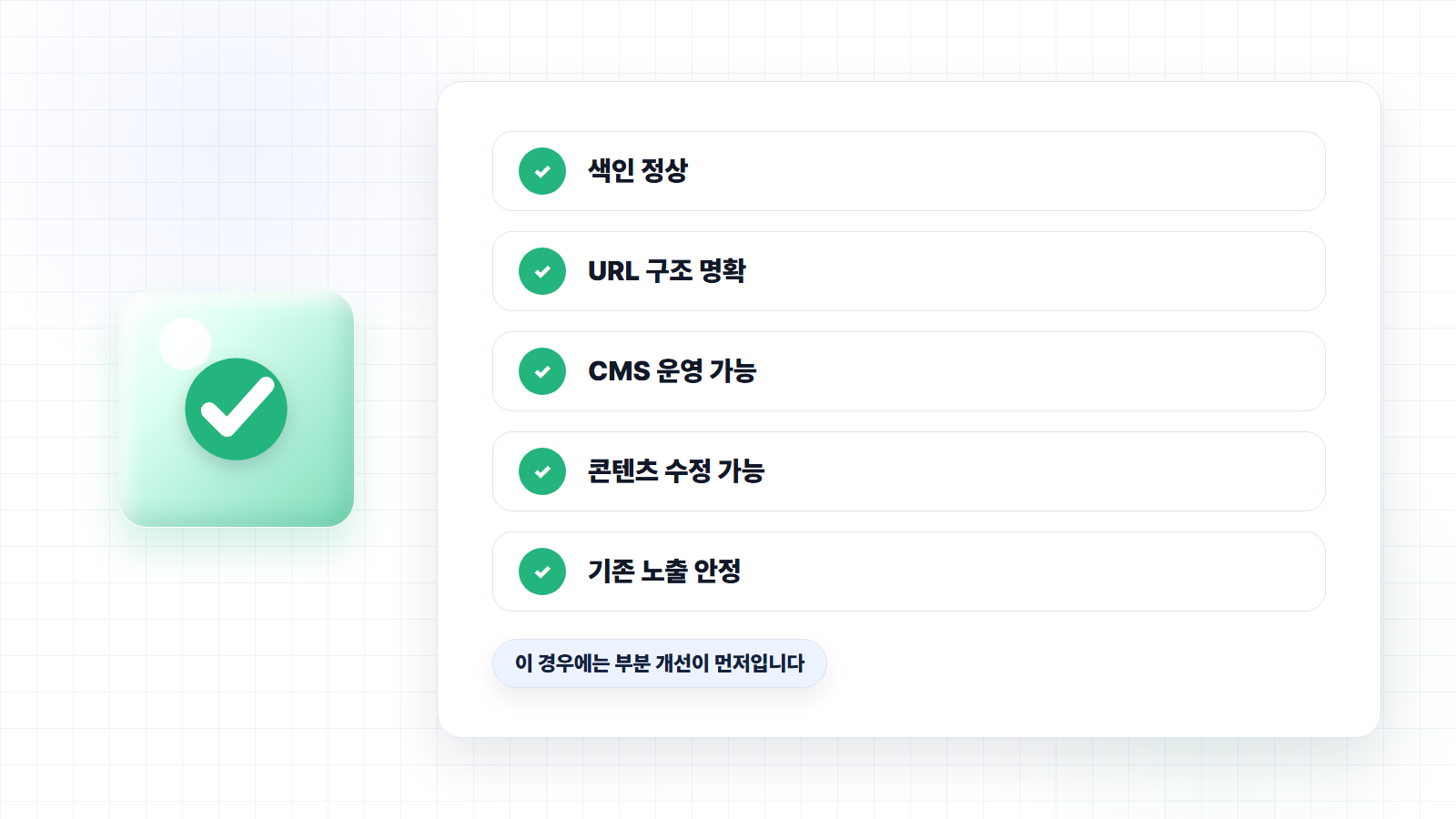
There are absolutely cases where a redesign is not the right call. This section matters. Recommending a redesign to every client simply because SEO/GEO is on the table is not a sound approach.
First, if indexing and crawling are functioning normally. If your key pages are being indexed correctly as shown in Search Console, and your brand name and primary service keywords are generating baseline visibility, there is no need to jump straight to a full redesign. In this situation, improving content quality, internal links, meta information, Schema markup, and FAQ coverage can drive meaningful gains.
Second, if your URL structure is already clean. If paths like /services, /blog, /case-studies, and /contact are clearly defined and each page has a well-scoped topic, there is no reason to overhaul the architecture. In this case, information architecture refinement and content expansion should come first.
Third, if you already have a CMS or blog operation in place. In SEO/GEO, the ability to consistently build up content over time is critical. If your current site makes it easy to publish posts, add case studies, update FAQs, edit meta information, swap images, and manage internal links, focus on establishing a solid operational system rather than rebuilding the site.
Fourth, if only the design feels dated. Even if the site looks a bit old, if search engines are reading the content correctly, users can find the key information they need, and inquiry conversions are happening, a redesign is not necessarily a priority. In this case, refining landing sections, improving CTAs, and strengthening content will deliver better ROI.
Fifth, if the SEO risk of redesigning outweighs the potential benefit.
Redesigning a site that already has strong search visibility without a well-thought-out redirect strategy can destabilize existing performance. A redesign is an opportunity for growth, but handled carelessly, it can also mean losing the search equity you have built.
To summarize: if your existing site is being read correctly by search engines, you can continue building content, and your URL and information structure are not significantly broken, targeted improvements should come before a full redesign. In SEO/GEO, what matters is not "building something new" — it is "building something that is well understood."
If You Do Redesign, What Should That Look Like?
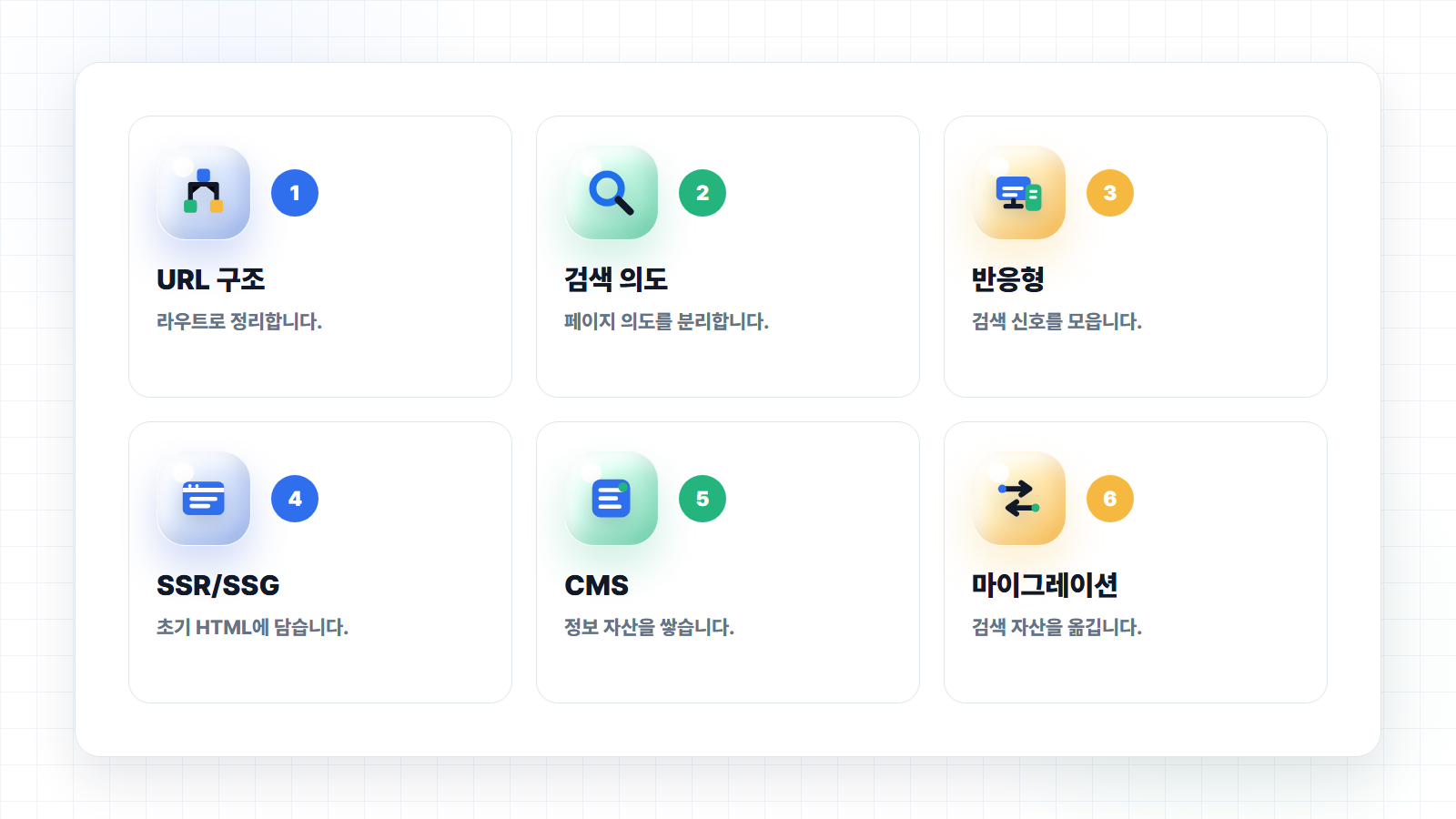
If you have decided to redesign, do not start with the visual design. An SEO/GEO redesign is less about "building a beautiful website" and more about "designing an information architecture that search engines and AI can understand."
The first step is to design the URL structure. Determine up front which directories will house your services, industry verticals, case studies, blog, FAQ, and resource pages. In a well-executed redesign, the sitemap and route structure come before any screen design.
For a consulting firm, ending up with only this is a missed opportunity:
example.com/service
example.com/blog
From an SEO/GEO standpoint, an expandable structure like the following is far stronger:
example.com/services/seo
example.com/services/geo
example.com/services/technical-seo
example.com/cases
example.com/blog
example.com/resources
example.com/faq
Second, assign a single search intent to each page. Rather than cramming all your services onto one page, give your primary offerings their own distinct URLs. If SEO consulting, GEO consulting, content SEO, and technical SEO each address a meaningfully different purchase intent, they warrant separate pages.
Third, establish a responsive, single-URL structure as the default. Unless there is a compelling reason to separate desktop and mobile, serving both experiences from a single URL with responsive design is easier to manage and more effective at consolidating search signals.
Fourth, ensure critical content is present in the initial HTML. Even when using modern front-end frameworks, pages that are important for SEO/GEO should actively leverage SSR or SSG. Search engines and AI need to be able to reliably read the core information on a page.
Fifth, design the CMS alongside the site — and take it seriously. Many redesign projects deliver polished design and development work, but leave content editors with no practical way to build content. In SEO/GEO, what matters more than the state of the site at launch is what information assets you can continue to accumulate after launch.
A CMS is not just an admin panel for publishing posts. It is the operational system through which you repeatedly produce information that search engines and AI can understand. That means the CMS should structurally manage fields such as: title, slug, meta title, meta description, canonical, featured image, publish date, last updated date, category, tags, FAQs, related posts, and Schema type.
From a GEO perspective, there is one more layer. The CMS should be able to manage the discrete units of information that AI systems draw on when composing answers. For example, service definitions, core features, target customers, pricing policy, comparison criteria, frequently asked questions, real-world case examples, sources, and update history should all be consistently captured for each piece of content.
If you are also considering prompt integration, the importance of the CMS grows further. Going forward, rather than content teams writing everything from a blank page, it is increasingly likely that structured data stored in the CMS will be used to generate first drafts, FAQs, comparison tables, summaries, social copy, and sales materials. When the underlying CMS data is disorganized, even well-crafted prompts produce inconsistent output.
For example, if your CMS holds the following fields in a structured format, AI-assisted workflows become dramatically more effective:
Service name
Service definition
Primary target customers
Problems solved
Core features
Differentiators from competing services
Related case studies
Frequently asked questions
Last updated date
Reference sources
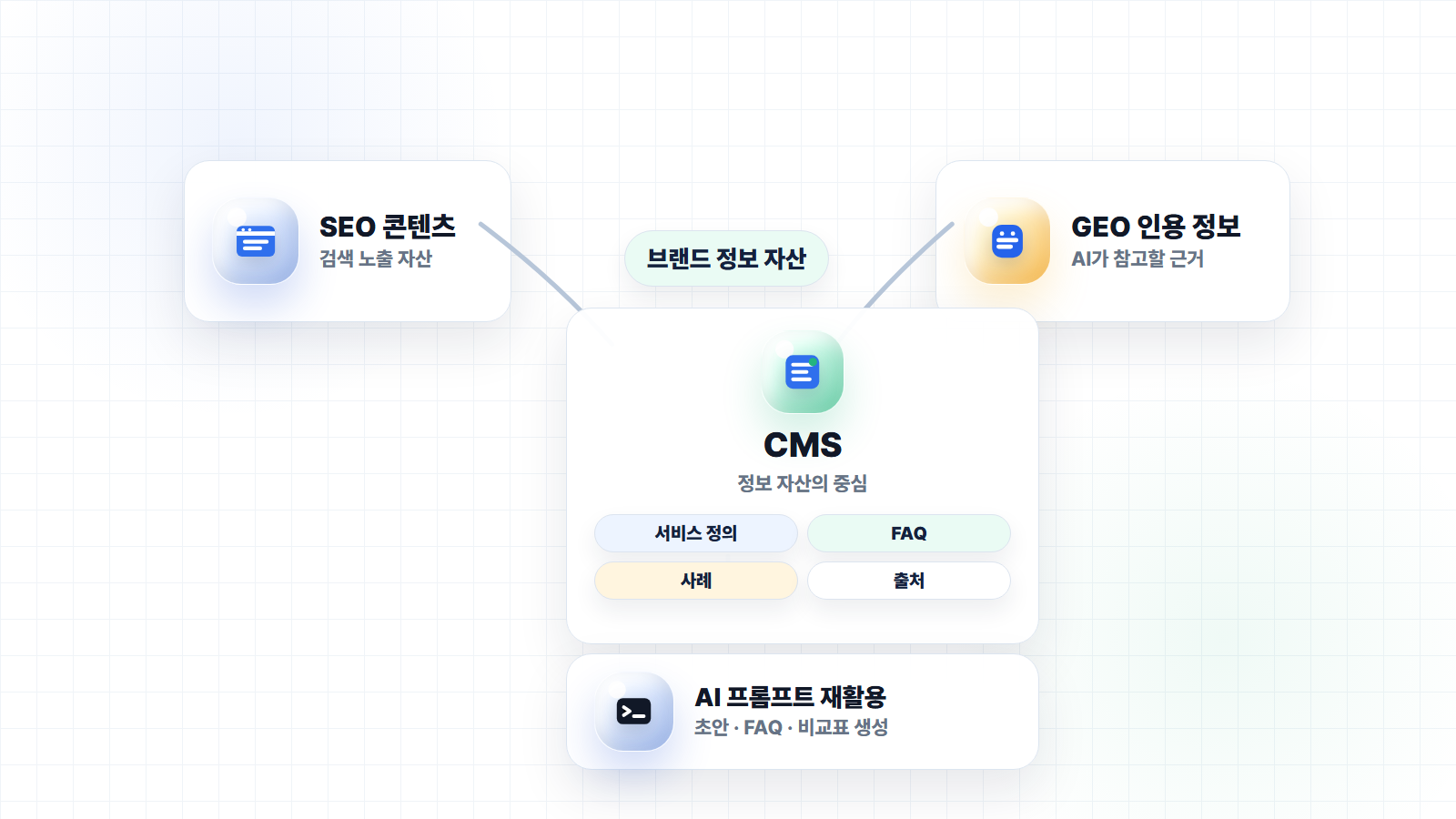
This information feeds SEO pages, GEO content, and AI prompts alike. The CMS is ultimately not a hidden data-entry tool sitting behind the website — it is closer to a database for managing your brand's information assets.
Sixth, manage Schema markup and meta information at the template level. Designing the structured data you need — Article, Organization, Product, Service, Breadcrumb, FAQ, and others — by page type from the outset increases operational efficiency. Ideally, editors should be able to populate the relevant fields in the CMS and have meta information and structured data update automatically, without requiring a developer request each time.
Finally, a migration plan is non-negotiable. This must cover how existing URLs will be 301-redirected to new ones, which pages will be preserved and which consolidated, how sitemaps and canonicals will change, and which metrics you will monitor in Search Console after launch.
A redesign means opening a new site, but it also means safely transferring your existing search equity into the new structure. Miss this step, and you risk the new site looking great while organic visibility takes a hit.
Conclusion: Information Architecture Matters More Than the Redesign Itself
A website redesign is not a prerequisite for SEO/GEO. If your existing site is being read correctly by search engines, you can continue building content, and your URL and information structure are not significantly broken, targeted improvements come first.
But if your current site is structured in a way that search engines and AI struggle to understand, the calculus changes. If URLs are tangled in parameter-based structures, desktop and mobile versions are being managed as separate properties, or you are stuck in a cycle of technical debt and costly vendor communication — then a redesign may be the more efficient choice.
When it is, however, the redesign must not be a cosmetic one. An SEO/GEO redesign means designing URL structure, content architecture, CMS, Schema markup, rendering approach, and migration policy together as a single integrated effort.
Looking ahead, the role of the CMS is likely to become even more central. Structured information stored in the CMS becomes the content search engines understand, the evidence AI systems draw on, and the source data that internal teams reuse through prompts.
What matters, ultimately, is not building something new. It is building something that search engines can discover, that AI can understand, and that your internal team can operate and grow sustainably.
A website redesign is one way to achieve that structure — but only one. When a redesign is necessary, do it properly. When it is not, improving your content and operational structure is the smarter move.
References
- Google Search Central, "URL Structure Best Practices for Google Search"
- Google Search Central, "Mobile-first Indexing Best Practices"
- Google Search Central, "Understand JavaScript SEO Basics"
- Google Search Central, "How to Specify a Canonical with rel=canonical and Other Methods"
- PHP, "Supported Versions"

About the Author
Liv: SEO & GEO Consultant / Publisher
SEO specialist planner and designer responsible for SEO content strategy, website structure optimization, and search-engine-friendly UX/UI design. Former: UX/UI Design Team Lead Current: SEO Content Design Team Lead at 238lab